
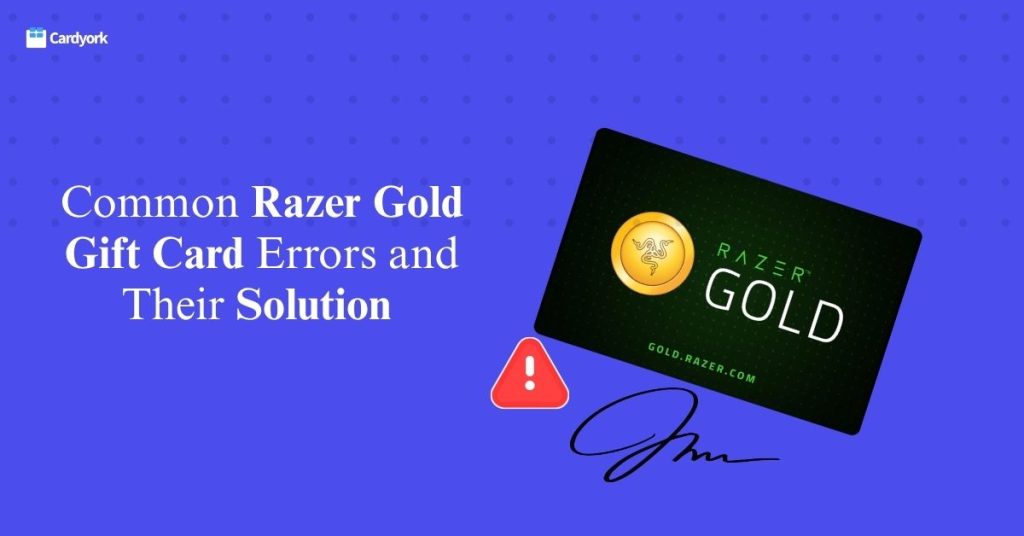
If you’re reading this right now, chances are you’ve just bought a Razer Gold gift card—or maybe a friend or loved one gave you one. You tried to redeem it, only to run into error messages like “Invalid Code,” “Fail to Load,” or, worst of all, “Gift Card Has Already Been Redeemed.” And now you’re left feeling confused and frustrated. 🤐
sitting there, wondering what just happened.
One minute you’re excited to top up your game or buy in-game items. The next minute, you’re frustrated, refreshing your screen and checking the code again and again.
So you grabbed your phone or laptop, rushed to Google, and searched for something like “Razer Gold gift card not working” or “Razer Gold error message.” And that’s probably how you ended up here.
You’re not alone. Many users run into these same issues every day when trying to redeem their Razer Gold cards. It can be annoying, stressful, and sometimes even scary—especially if you paid good money for the card.
But here’s the good news: most of these Razer Gold errors can be fixed.
In this article, we’ll walk you through the most common Razer Gold gift card errors and show you simple ways how you can fix them and get back to gaming without stress.
Common Razer Gold Gift Card Error Messages and How to Fix Them
When something goes wrong while redeeming your Razer Gold gift card or making a payment, the system usually displays an error message. These messages are meant to tell you what the problem is, but sometimes they can be confusing—especially if you’re seeing them for the first time.
1. Invalid PIN
Sometimes, when trying to redeem a Razer Gold gift card, you may see an “Invalid Code” message. This usually happens when the code is entered incorrectly, such as missing a digit, mixing up letters and numbers, or making a typing mistake.
In some cases, the code may also be damaged or unclear, especially on physical cards, making it hard to read correctly.
How To Fix it
Carefully check the code and enter it again carefully.
If the code is damaged or unclear or the problem continues, contact the seller or Razer support and provide your receipt or proof of purchase for assistance.
2. Fail to Reload
Seeing a “Fail to Reload” message when trying to redeem your Razer Gold gift card can be frustrating—especially when you’re eager to use your balance.
This error usually happens for two reasons.
First, it may be caused by a slow or unstable internet connection. If your network is weak, the system may not be able to complete the redemption process properly.
Second, the card may not have been properly activated at the point of purchase. Razer Gold gift cards must be activated by the seller before they can be used. If this step was missed, the system may block the redemption and display this error.
How to Fix It
Start by checking your internet connection. If possible, switch to a stronger Wi-Fi network or use mobile data and try again.
If the error still shows up, contact the store where you bought the gift card. Make sure you have your receipt or proof of purchase, as this will help them confirm the activation status and assist you faster.
With a stable connection and proper activation, the issue should be resolved quickly.
3. Gift Card Has Already Been Redeemed
This message simply means that the Razer Gold gift card code has already been used and can no longer be redeemed.
One common possible reason is that you may have redeemed the card unknowingly. In some cases, someone else may have accessed and used the code without your knowledge.
Another reason for this issue is buying from an unreliable or untrusted seller. Some dishonest sellers resell used or previously redeemed cards. That’s why it’s always safer to buy your gift cards from trusted vendors or directly from the official Razer Gold website.
How to Fix It
First, log in to your Razer Gold account and check your wallet balance. If you see a balance, it’s likely that you already redeemed the card earlier and forgot.
If there is no balance and you’re sure you haven’t used the card before, then the code has most likely been redeemed by someone else.
In this situation, take your receipt or proof of purchase and return to the store where you bought the card. Explain the issue clearly and ask them to verify the card status. If the card was sold to you in error, they may be able to offer a replacement or refund.
To avoid this problem in the future, always buy your Razer Gold gift cards from trusted and verified sellers.
4. Region Not Supported
A “Region Mismatch” error usually appears when you try to redeem a Razer Gold gift card that is meant for a different country or region.
Some Razer Gold gift cards are restricted to specific locations and can only be used in those regions. For example, a card issued for the US market may not work in other countries. When the system detects that your account location does not match the card’s region, it blocks the redemption and shows this error.
This problem often happens when users buy cards from international sellers without checking the supported region first.
How to Fix It
Before buying any Razer Gold gift card, always check the country or region printed on the card or listed in the product description. Make sure it matches your location.
If you’ve already bought a card for the wrong region, contact the seller immediately and ask if they can exchange it for the correct one.
If an exchange is not possible, you can sell the card for cash on a trusted platform like Cardyork
Being careful about regions before purchase can save you time, stress, and unnecessary losses.
5. Payment Request Could Not Be Processed
when Razer Gold is unable to complete your transaction at the checkout stage. The “Payment Request Could Not Be Processed” message usually appears
This error can happen for several reasons. One common cause is a temporary system issue on the Razer platform or the game’s payment server. When the system is busy, under maintenance, or experiencing technical problems, payments may fail.
Network problems can also trigger this error. A weak or unstable internet connection may interrupt the payment process before it is completed.
How to Fix It
make sure your internet connection is stable. Switch to a stronger network if necessary and try again.
If the problem seems to be from Razer’s system, wait a few minutes and attempt the payment later. Temporary issues are often resolved quickly.
You can also log out of your account, log back in, and retry the transaction. This sometimes refreshes your session and clears minor errors.
If none of these steps work, contact Razer Gold customer support and provide details of the error. They can help you investigate and resolve the issue.
How to Avoid Razer Gold Gift Card Issues in the Future
1. Buy Only from Trusted Sellers
Always purchase your gift cards from official platforms and verified online stores. Avoid suspiciously cheap offers, as they often lead to fake or used cards.
2. Check the Card’s Region Before Payment
Before buying, confirm that the card is supported in your region. This helps you avoid “Region Not Supported” issues.
3. Keep Your Receipt and Proof of Purchase
Save your invoice, email receipt, after buying a gift card. If anything goes wrong, this will help you get support faster.
4. Redeem Your Card as Soon as Possible
Don’t keep gift cards unused for too long. Redeeming early reduces the risk of loss, damage, or unauthorized use.
5. Use a Stable Internet Connection
Always redeem your card using a strong and reliable internet. Poor networks are a major cause of “Fail to Reload” and payment errors.
6. Double-Check the Code Before Submitting
Take a few extra seconds to review the code before clicking “Redeem.” This helps prevent invalid or wrong code errors.
Frequently Asked Questions
Why is my Razer Gold code not working?
Your code may not work because of typing mistakes, poor internet connection, activation issues, region restrictions, or because the card has already been used. Double-check the code and your network before trying again.
How much is a $100 Razer Gold card worth in Nigerian Naira?
A $100 Razer Gold gift card does not have a fixed value in Naira, as different factors can affect the exchange rate. However, it is currently worth between ₦119,000 and ₦120,000.
Can I get a refund if my gift card is already used?
In most cases, refunds are not guaranteed once a card has been redeemed. However, if you bought the card from a trusted seller and can prove you didn’t use it, you may be eligible for a replacement or refund.
How long does it take to redeem a Razer Gold gift card?
Normally, redemption is instant. Once you enter a valid code, the balance should appear in your wallet immediately. If it doesn’t, there may be a network or system issue.
Why does my payment fail even when I have balance?
This can happen due to server problems, session errors, platform issues, or temporary restrictions. Try logging out and back in, refreshing the app, or waiting before trying again.
Can I use one Razer Gold card on multiple accounts?
No. Once a gift card is redeemed, it is tied to one account and cannot be transferred to another.
Is it safe to buy Razer Gold cards online?
Yes, it is safe if you buy from official websites, trusted retailers . Avoid unknown sellers offering unusually cheap deals.
What happens if I enter the wrong code too many times?
Entering the wrong code repeatedly may lead to temporary restrictions on your account. If this happens, wait for some time before trying again.
Where can I sell Razer gold Gift Card for Cash In Nigeria
If you’re in Nigeria, you can sell your Razer Gold gift card safely on reliable platforms such as Cardyork.
Conclusion
Razer Gold gift cards are a simple way to pay for games and online content, but sometimes you may run into issues like “Fail to Reload,” “Invalid Code,” or payment errors. These problems can be frustrating, especially when you just want to enjoy your game.
The good news is that most of these errors have easy solutions.
Once you understand what causes them and follow the steps in this guide, you can get back to using your balance without stress.
To avoid future issues, always buy from trusted sellers, use a stable internet connection, check your codes carefully, and keep your receipts. These simple habits can save you time and money.
If you ever run into trouble, don’t panic. Keep your proof of purchase, contact the right support team, and be patient. In most cases, genuine problems are resolved quickly.