
In today’s digital world, convenience is everything—and that’s exactly what Google Play Gift Cards offer. Whether you want to buy apps, play games, watch movies, or subscribe to premium services, these gift cards provide a simple and secure way to pay without using a bank card.
Google Play Gift Cards have become increasingly popular worldwide, especially in countries where many users prefer flexible payment options for online purchases. Instead of linking your debit or credit card, you can simply redeem a code and instantly fund your Google Play account.
These gift cards are perfect for a wide range of users, including Android smartphone owners, gamers, content lovers, and even those who want to send digital gifts to friends and family. With just a few clicks, you gain access to millions of apps, games, books, movies, and more on the Google Play Store.
In this comprehensive guide, you’ll learn everything you need to know about Google Play Gift Cards—from what they are and how they work, to where to buy them, how to redeem them, common issues, and important safety tips. Whether you’re a beginner or already familiar with gift cards, this guide will help you use them smarter and safer.
What is a Google Play Gift Card?
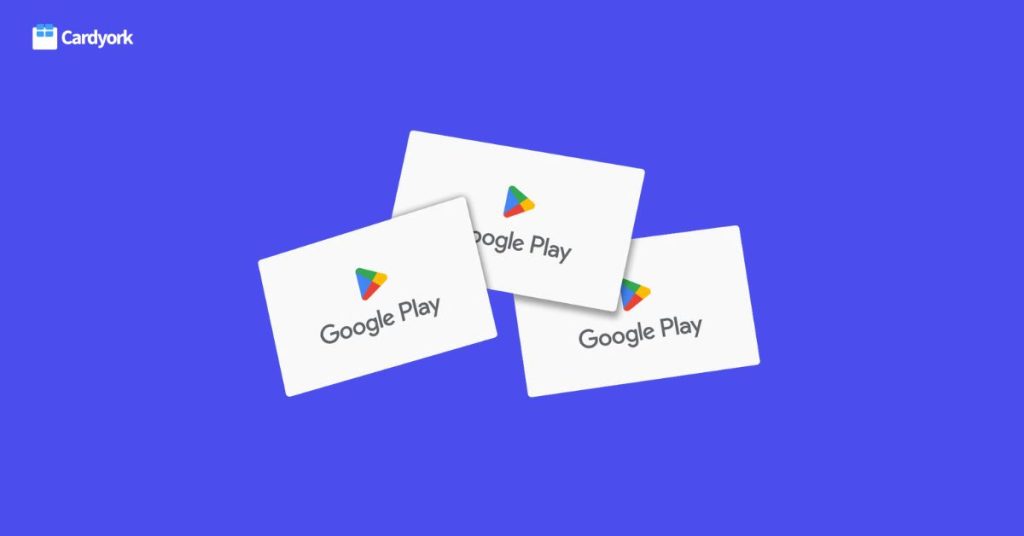
A Google Play Gift Card is a prepaid digital or physical card that allows you to add funds to your Google Play account. Instead of using a debit or credit card, you can redeem the code on the gift card and use the balance to pay for content on the Google Play Store.
These gift cards come with a unique code—usually hidden under a scratch panel (for physical cards) or sent via email (for digital cards). Once redeemed, the value of the card is credited to your Google Play balance, which you can then use anytime.
There are two main forms of Google Play Gift Cards:
Physical Cards: These are purchased in retail stores and come as plastic cards with a scratch-off code at the back.
Digital (E-code) Cards: These are delivered electronically via email or online platforms, making them faster and more convenient to use
What Can You Use Google Play Gift Cards For?
One of the biggest advantages of a Google Play Gift Card is its versatility. Once you redeem the card, the balance can be used to purchase a wide range of digital content and services on the Google Play Store.
Here are the main things you can use a Google Play Gift Card for:
1. Apps and Games
You can buy paid apps and games directly from the Google Play Store. Whether it’s productivity tools, photo editing apps, or premium mobile games, your gift card balance makes payment quick and easy.
2. In-App Purchases
Many free apps and games offer additional features, upgrades, or virtual items. With your Google Play balance, you can:
- Buy game coins and tokens
- Unlock premium features
- Upgrade to ad-free versions
3. Movies and TV Shows
Google Play allows you to rent or purchase movies and TV series. You can watch your favorite content directly on your phone, tablet, or smart TV.
4. Books and Audiobooks
If you enjoy reading, you can use your balance to buy eBooks or audiobooks from the Google Play Books section. It’s a great option for students and casual readers alike.
5. Subscriptions
Google Play Gift Cards can also be used for recurring subscriptions such as:
- YouTube Premium
- Google One (cloud storage)
- In-app subscriptions (music, fitness apps, etc.)
How to Redeem Google Play Gift Card
Redeeming a Google Play Gift Card is simple and only takes a few minutes. Once redeemed, the value is instantly added to your Google Play balance, ready to be used for purchases.
Step-by-Step Guide to Redeem Your Card
Follow these steps:
1. Open the Google Play Store
Launch the Google Play Store app on your Android device.
2. Tap Your Profile Icon
Located at the top-right corner of the screen.
3. Select “Payments & Subscriptions”
This will open your payment options.
4. Click on “Redeem Code”
You’ll see a field to enter your gift card code.
5. Enter the Gift Card Code
Carefully type in the code (or paste it if it’s a digital card).
6. Tap “Redeem”
Once confirmed, the amount will be added to your balance instantly.
Where to Buy Google Play Gift Cards
Buying a Google Play Gift Card is easy—but buying from the right source is very important. With the rise of online scams, you need to be careful and only use trusted platforms or sellers.
Here are the best places to buy Google Play Gift Cards:
Google Play official website : Head over to Google play website, Though Google Play doesn’t sell its gift cards, Google has a list of authorized partner retailers.
Some of which are:
- Amazon
- Walmart
- Target
- CVS pharmacy
Go to or choose the most Suitable option according to your preference.
How to Check Google Play Gift Card Balance
After redeeming your Google Play Gift Card, it’s important to know how to check your balance so you can track your spending and avoid running out of funds unexpectedly.
Here are the easiest ways to check your Google Play balance:
Method 1: Using the Google Play Store App
1. Open the Google Play Store on your device
2. Tap your profile icon (top-right corner)
3. Select “Payments & Subscriptions”
4. Tap “Payment Methods”
You’ll see your Google Play balance displayed at the top
Method 2: During a Purchase
You can also check your balance when trying to buy something:
- Select an app, game, or item
- Tap “Buy”
- Your available Google Play balance will appear before confirming payment
Common Problems With Google Play Gift Card and Solutions
While Google Play Gift Cards are generally easy to use, users sometimes encounter issues during redemption or usage. The good news is that most of these problems have simple solutions.
Below are some of the most common issues and how to fix them:
- Code Already Redeemed” Error
What it means:
The gift card code has already been used.
Possible causes:
- You entered a used or fake code
- The seller redeemed it before giving it to you
Solution:
- Contact the seller immediately
- Request proof of purchase
- If bought from a trusted platform, reach out to their support team
- Region/Country Mismatch Issue
What it means:
The gift card cannot be redeemed because it’s from a different country.
Example:
Trying to redeem a US Google Play card on a Nigerian account or another country’s account.
Solution:
- Ensure your Google Play account region matches the card’s country
- Alternatively, buy a card that matches your account region
- “Invalid Code” Error
What it means:
The code you entered is not recognized.
Possible causes:
- Typing error
- Damaged or unreadable code
- Fake card
Solution:
- Double-check the code carefully
- Avoid confusing characters (e.g., O and 0)
- If the issue persists, contact the seller
Safety Tips When Using Gift Cards
Google Play Gift Cards are convenient, but they are also a common target for scammers. To protect your money and avoid unnecessary stress, it’s important to follow some basic safety practices.
1. Buy Only from Trusted Sources
Always purchase your Google Play Gift Cards from:
- Official stores (Google Play authorized Retailers, etc.)
- Verified gift card platforms
- Reputable vendors with reviews
2. Avoid Deals That Are “Too Good to Be True”
If someone is selling a $100 gift card at a very cheap price, it’s likely a scam or already used card.
Rule: If the price looks suspicious, don’t risk it.
3. Redeem Your Card Immediately
Once you purchase a gift card:
- Redeem it as soon as possible
- Don’t leave the code unused for long
This reduces the risk of someone else accessing it
4. Keep Your Receipt or Proof of Purchase
Always save:
- Transaction receipts
- Screenshots of purchase
- Confirmation emails
These can help resolve issues if something goes wrong.
Advantages and Disadvantages of Google Play Gift Cards
Google Play Gift Cards are widely used because of their convenience and flexibility. However, like any payment method, they come with both advantages and disadvantages. Understanding these will help you decide if they are the right option for you.
1. Easy to Use
Redeeming and using a Google Play Gift Card is simple and beginner-friendly. You don’t need any technical knowledge to get started.
2. No Bank Account Required
You can make purchases without linking a debit or credit card, which is perfect for users who prefer privacy or don’t have access to banking services.
3. Safe and Secure
Since you’re not sharing your financial details, the risk of bank-related fraud is reduced.
4. Great for Gifting
Google Play Gift Cards make excellent digital gifts for friends and family, especially for birthdays or special occasions.
5. Wide Range of Uses
From apps and games to movies, books, and subscriptions, the card can be used across the entire Google Play ecosystem.
Disadvantages of Google Play Gift Cards
1. Region Restrictions
Gift cards are often locked to specific countries. A mismatch between the card and your account region can cause redemption issues.
2. Non-Refundable
Once redeemed, the balance cannot be withdrawn or converted back to cash.
3. Risk of Scams
Buying from unreliable sources can lead to fake or already-used codes.
4. Price Fluctuations (Nigeria)
Due to exchange rates, the cost of gift cards in Nigeria can vary significantly.
5. Limited Use Outside Google Play
The balance can only be used within the Google Play Store and cannot be transferred to other platforms.
How To Sell Google Play Gift Card On Cardyork
If you’re in Nigeria and you have unused Google play gift cards you no longer need, exchanging it for cash on cardyork is pretty simple
Follow the steps below to get started:
1. Click the “Start Trading” button on the website
2. Enter your details and create an account
3. Verify your email address and log in to your Cardyork account
4. Choose your preferred trading method
5. Select and upload your gift card
6. Wait a few minutes for verification, and once approved, your payment will be sent instantly to your bank account
How much is $ 100 Google Play Gift Card Worth in Nigeria
The price of Google play gift card is not fixed and can change daily depending on market demand and supply and the type of card (Physical or ecode) At the moment the resale value of Google play gift card is 96,000.
Frequently Asked questions
Can I convert a Google Play Gift Card to cash?
Yes—but not directly through the Google Play platform, as Google does not allow users to redeem gift cards for cash. However, there’s a simple workaround. You can sell your Google Play gift card on trusted third-party platforms like Cardyork and receive cash quickly into your bank account.
Why is my Google Play Gift Card not working?
There are several possible reasons:
- Region mismatch
- Incorrect code entry
- Code already redeemed
- Account or security restrictions
How long does it take to redeem a Google Play Gift Card?
Redemption is instant. Once you enter the correct code, the balance is immediately added to your Google Play account.
Do Google Play Gift Cards expire?
In most cases, Google Play Gift Cards do not expire. However, promotional credits may have expiration dates, so always check the terms.
Conclusion
Google Play Gift Cards have become one of the most convenient ways to pay for digital content, especially for users who prefer not to link their bank cards online. From buying apps and games to subscribing to premium services, these gift cards offer a simple, secure, and flexible payment solution.
In this guide, we’ve covered everything you need to know—from what Google Play Gift Cards are, how to use them, where to buy them, and how to avoid common problems and scams. We also explored pricing in Nigeria, safety tips to help you make informed decisions.
The key takeaway is simple: always buy from trusted sources, ensure your card matches your account region, and redeem your code promptly. By following these basic rules, you can enjoy a smooth and stress-free experience.