

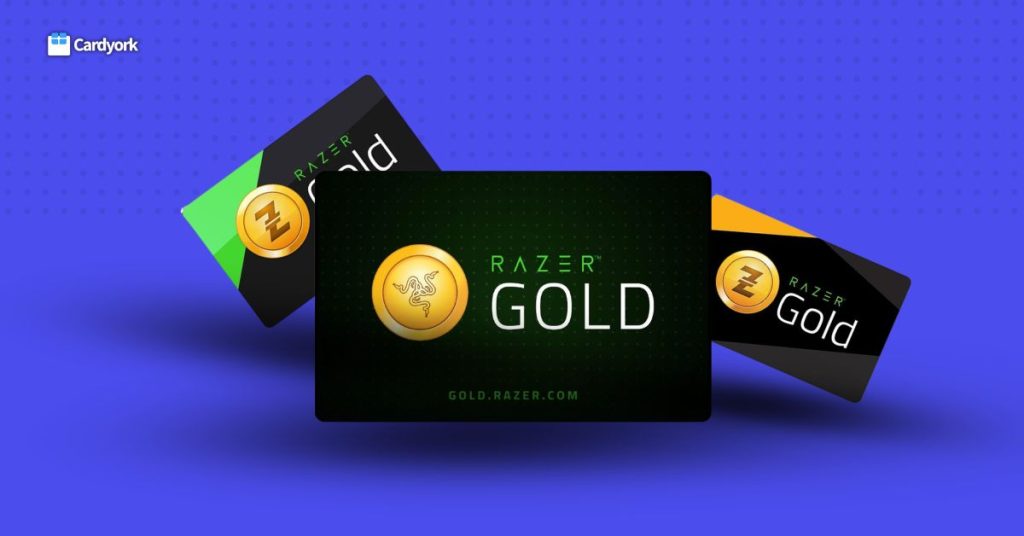
Razer Gold gift cards are a popular digital payment option for gamers around the world. They allow users to easily add funds to their Razer Gold wallet and purchase games, in-game items, and other digital content across thousands of supported platforms. Whether you enjoy mobile games, PC games, or online entertainment, Razer Gold provides a convenient way to pay without using a credit card or bank account.
However, many people who receive a Razer Gold gift card often wonder how to redeem it correctly. If it’s your first time using one, the redemption process might seem confusing. The good news is that redeeming a Razer Gold gift card is simple and only takes a few minutes once you know the correct steps.
In this guide, you will learn how to redeem Razer Gold gift cards step by step. By the end of this article, you’ll be able to redeem your card quickly and start using your Razer Gold balance for your favorite games and digital purchases.
What Is a Razer Gold Gift Card?
A Razer Gold gift card is a prepaid digital card that allows users to add funds to their Razer Gold wallet, which can then be used to purchase games, in-game items, and other digital entertainment.
How To Redeem Razer Gold Gift Cards (Step-by-Step Guide)
Redeeming a Razer Gold gift card is a simple process that only takes a few minutes. Once the code is successfully redeemed, the value of the card will be added to your Razer Gold wallet, allowing you to start purchasing games and in-game content immediately.
Follow these steps to redeem your Razer Gold gift card:
Step 1: Visit the Razer Gold Redemption Page
Open your web browser and go to the official Razer Gold website. Navigate to the Reload or Redeem Code section.
Step 2: Log Into Your Razer Gold Account
Sign in using the email address and password associated with your Razer Gold account.
Step 3: Select the Redeem Code Option
Once you are logged in, choose the option that allows you to redeem a code or reload your wallet using a gift card.
Step 4: Enter Your Gift Card Code
Carefully enter the code from your Razer Gold gift card. If you are using a physical card, scratch the back to reveal the code before entering it.
Step 5: Confirm the Redemption
After entering the code, click the Redeem or Confirm button to complete the process.
Step 6: Check Your Updated Balance
Once the redemption is successful, the value of the gift card will be added to your Razer Gold wallet. You can check your updated balance in your account dashboard.
After completing these steps, you can begin using your Razer Gold balance to purchase games, in-game items, and other supported digital content.
How To Sell Razer Gold Gift Cards on cardyork
If you have an unused Razer gold gift cards you no longer, selling it on cardyork for cash is wise option
To sell your razer gold in cardyork for quick cash kindly follow the steps below:
1. Click the “Start Trading” button on the website
2. Enter your details and create an account
3. Verify your email address and log in to your Cardyork account
4. Choose your preferred trading method
5. Select and upload your gift card
6. Wait a few minutes for verification, and once approved, your payment will be sent instantly to your bank account
Common Problems When Redeeming Razer Gold Gift Cards
Although redeeming a Razer Gold gift card is usually straightforward, some users may experience issues during the process.
Understanding these common problems can help you resolve them quickly and successfully redeem your card.
1. Invalid Gift Card Code
One of the most common problems is entering an invalid code. This usually happens when the code is typed incorrectly. Double-check the characters and ensure there are no extra spaces when entering the code.
2. Code Already Redeemed
If the system shows that the code has already been used, it means the gift card has been redeemed before. This may happen if the code was previously used or if someone else had access to it.
3. Region Mismatch
Some Razer Gold gift cards are restricted to specific regions. If the region of your gift card does not match your Razer Gold account region, the redemption may fail.
4. Network or Server Issues
Occasionally, technical problems or a weak internet connection may interrupt the redemption process. In such cases, try refreshing the page or redeeming the code again later.
5. Damaged or Unreadable Code
For physical cards, scratching the card too hard may damage the code, making it difficult to read. If this happens, you may need to contact the retailer or Razer support for assistance.
Frequently Asked Questions
1. Do Razer Gold gift cards expire?
Most Razer Gold gift cards do not expire, but it is always best to check the terms and conditions on the card or from the retailer where it was purchased.
2. Is it safe to buy Razer Gold gift cards online?
Yes, it is safe to buy them online as long as you purchase from trusted retailers or the official Razer website.
3. Where can I redeem Razer Gold gift cards?
You can redeem Razer Gold gift cards on the official Razer Gold website by logging into your account and entering the gift card code on the redemption page.
4. Why is my Razer Gold gift card code not working?
Your code may not work if it was entered incorrectly, already redeemed, expired, or restricted to a different region. Double-check the code and ensure your account region matches the card region.
Conclusion
Redeeming a Razer Gold gift card is a quick and straightforward process that allows gamers to add funds to their Razer Gold wallet and enjoy a wide range of digital gaming content. By following the correct steps—creating a Razer Gold account, entering the gift card code on the official redemption page, and confirming the transaction—you can successfully add the value of your gift card to your account in just a few minutes.
Whether you want to purchase games, unlock in-game items, or access premium gaming features, Razer Gold provides a convenient and secure payment method. Always make sure to redeem your gift cards on the official website and keep your codes private to avoid any issues.
With the information in this guide, you should now be able to redeem your Razer Gold gift card confidently and start enjoying your gaming purchases right away. 🎮